Hello everyone , for those who have VPS with Windows Server with us and they constantly stop, please read this tutorial to solve the problem.
Delaying the evaluation period for Windows Server 2022 can be accomplished by “resetting” the evaluation period (also known as “resetting the license status”). evaluation versions of Windows Server typically allow you to reset the evaluation period three times. The evaluation version of Windows Server typically allows you to reset the evaluation period three times, with each reset extending the evaluation period by 180 days. You can use the following command to do this:
Steps to reset the evaluation period
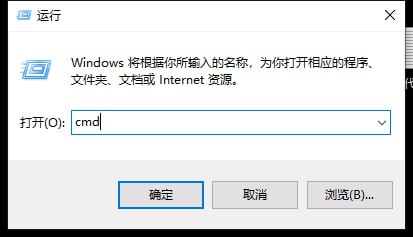
Open a command prompt as an administrator.
Search for “cmd” or “Command Prompt” in the Start menu.
Right-click on “Command Prompt” and select “Run as administrator”.
Copy the code
slmgr.vbs /rearm
Restart your VPS.
After executing the above command, you will be prompted to restart you VPS. Be sure to reboot to apply the changes.
After you do this, the evaluation period of Windows Server will be reset and you will get 180 days of usage again. You can perform this operation multiple times towards the end of the current evaluation period, up to a maximum of three extensions (i.e., up to a total of approximately 540 days).
Screenshot example:
https://img.ihostart.com/images/66da2d07d7b4d1.00028608.jpg
https://img.ihostart.com/images/66da2d0b9bb598.19915991.jpg